Timer lifecycle
The authoritative timer could remain correct while the visible fullscreen countdown stopped refreshing. A later regression caused Tournament 1 to work while Tournament 2 and later tournaments froze in the same process.
Software & Product Delivery · Case Study
Product Owner & Release Lead · Version 1.1.1
Led product direction, requirements, workflow design, scope control, physical QA, defect triage, and release management for an offline Windows tournament-operations application built through a structured AI-assisted development workflow.
Product direction
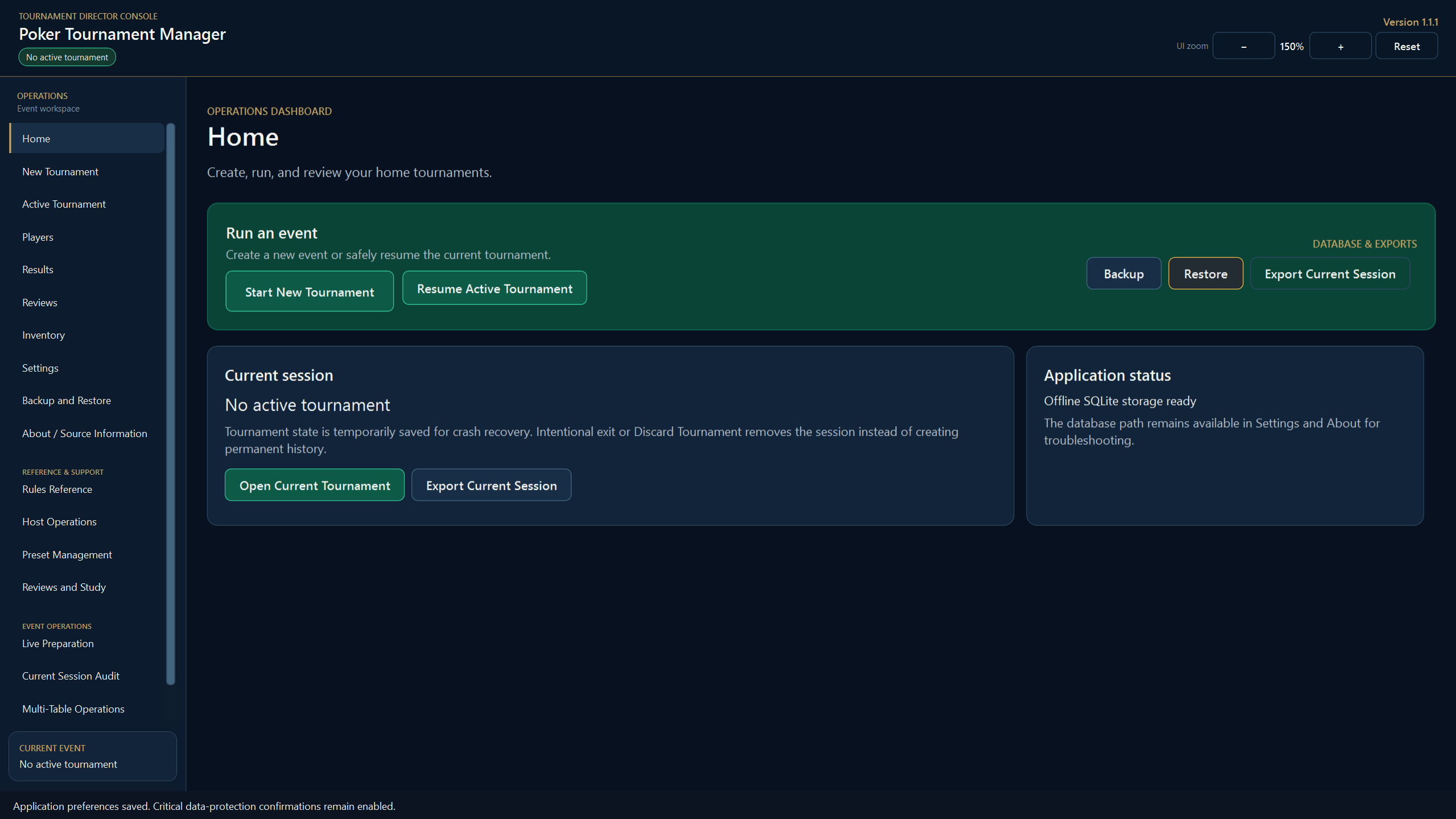
Poker Tournament Manager began as a functional tournament-administration tool, but live use showed that the host needed something different: a reliable operations console where the timer, blind level, positions, action order, player status, and routine controls remained visible during every hand.
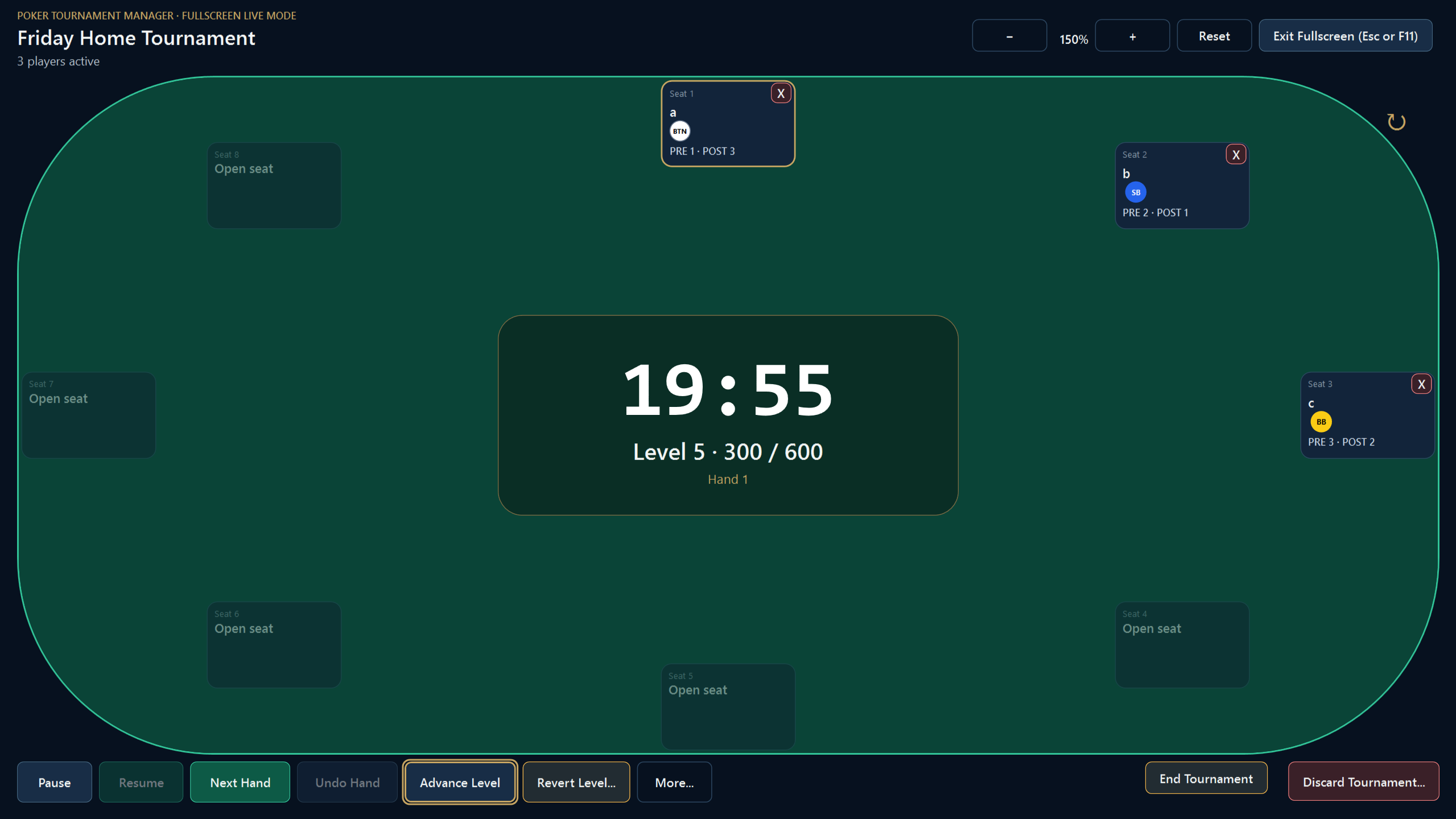
“Information needed every hand belongs on the live table. Occasional administrative actions should not permanently consume screen space.”
Ownership & governance
I served as Product Owner and Release Lead. I defined scope, translated real-use failures into requirements, set acceptance criteria, directed UX priorities, reproduced defects on physical hardware, classified release blockers, planned regression coverage, reviewed implementation evidence, and approved or blocked releases.
UX redesign
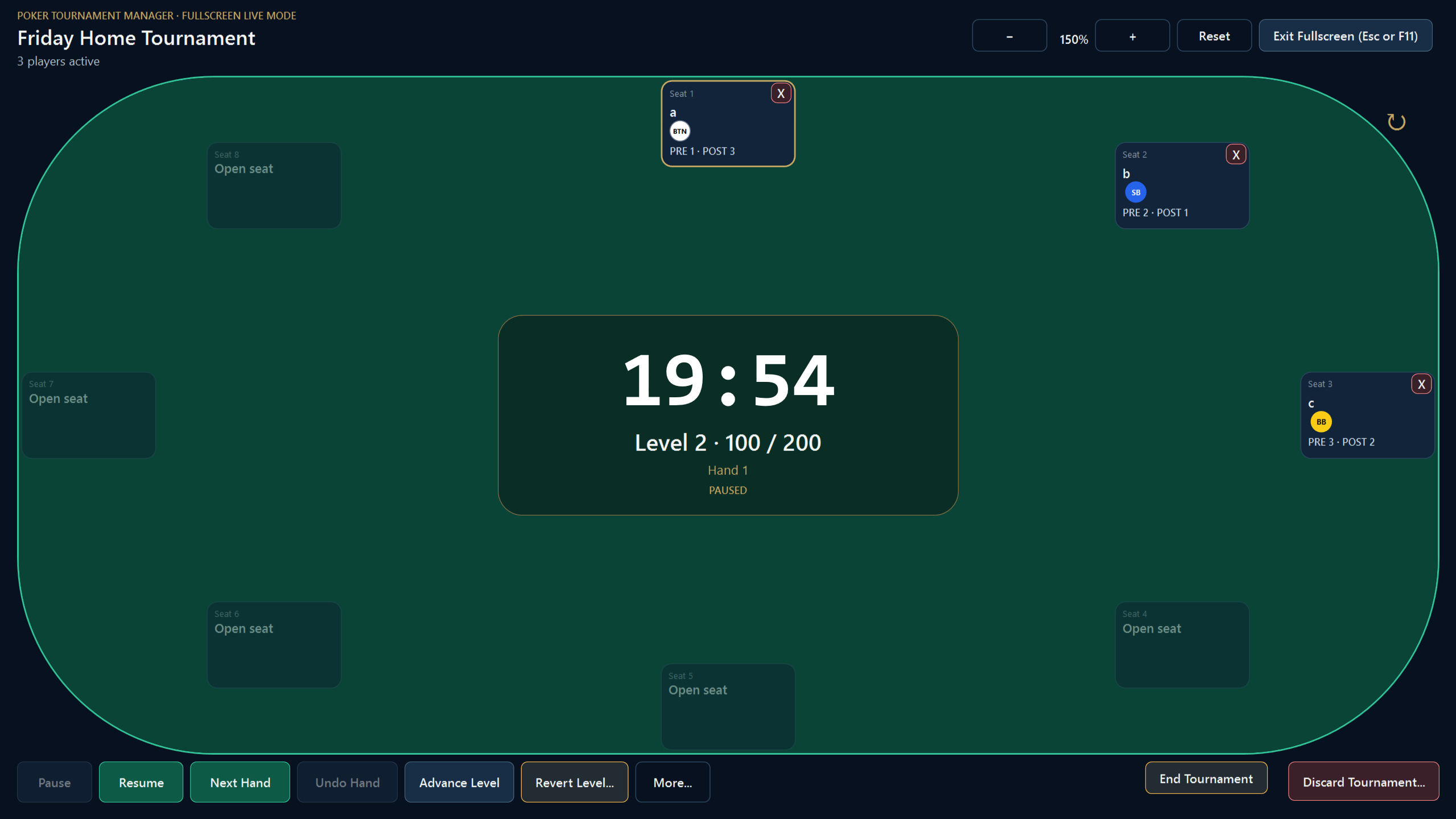
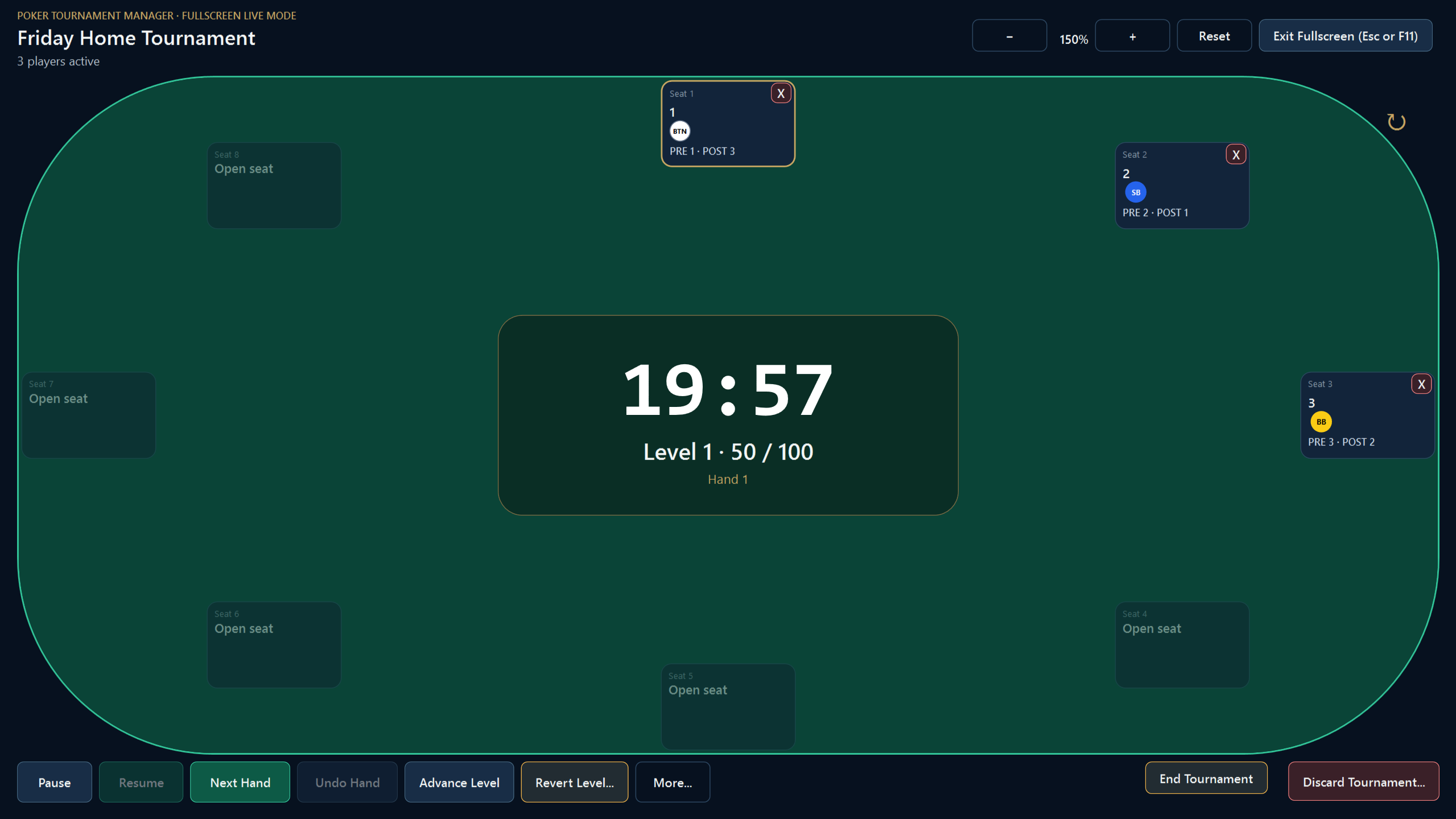
The early interface distributed important information across administrative screens. The redesign moved the table, timer, live positions, action order, eliminations, and routine controls into one canonical fullscreen workspace.
After: table-centric live operations
Live-use evidence
The authoritative timer could remain correct while the visible fullscreen countdown stopped refreshing. A later regression caused Tournament 1 to work while Tournament 2 and later tournaments froze in the same process.
Physical QA exposed false dead positions from unused seats, legitimate dead BTN and SB propagation requirements, a four-player to three-player transition defect, and exact heads-up transition rules.
F11 and the visible Enter Fullscreen control initially followed different navigation paths. Both were unified around the canonical live workspace.
A dedicated break state trapped the application at a scheduled boundary during real tournament use. Printed materials kept the event running while the software workflow was bypassed. The failure became the focused v1.1.1 maintenance requirement.
Field validation
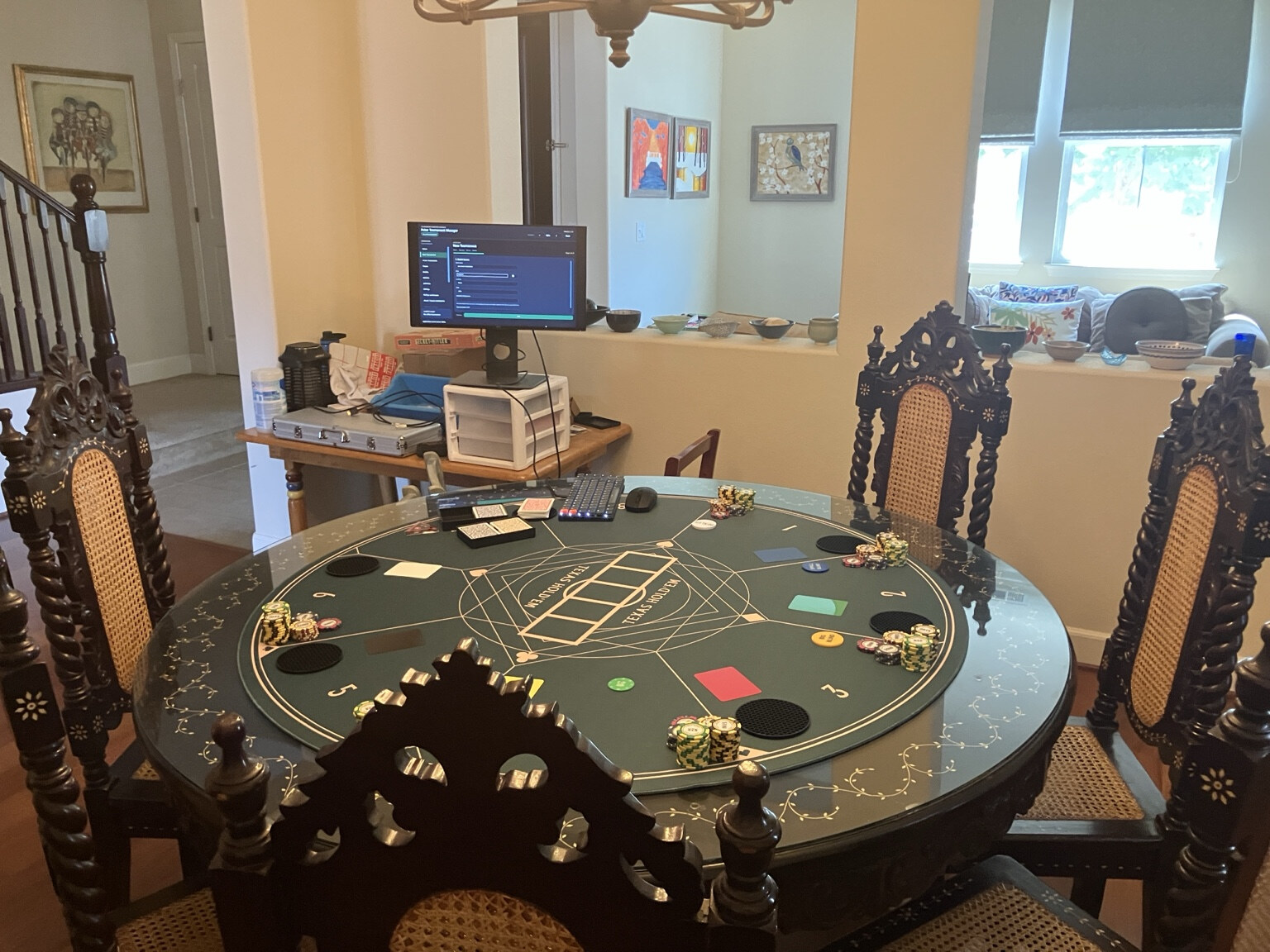
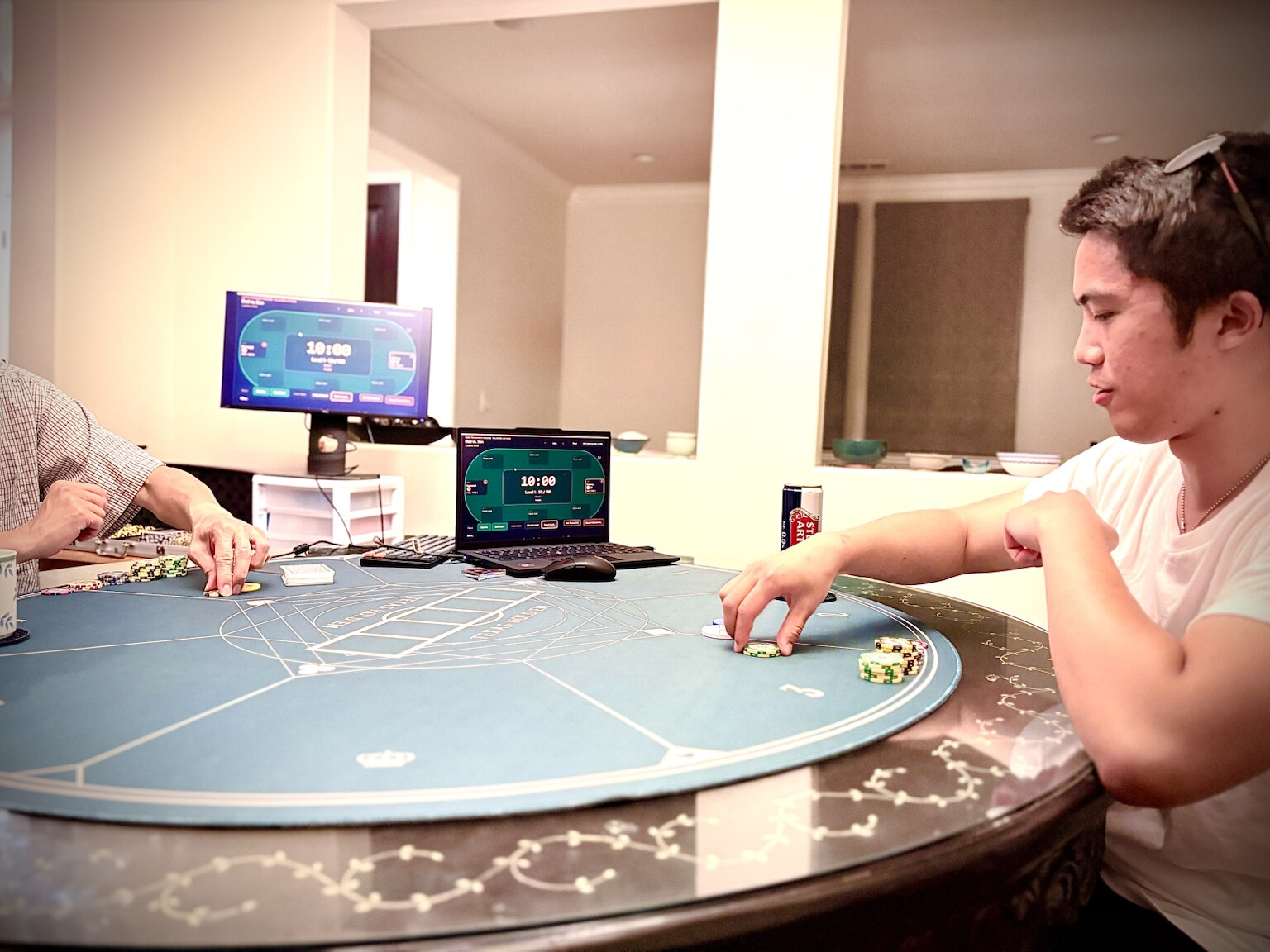
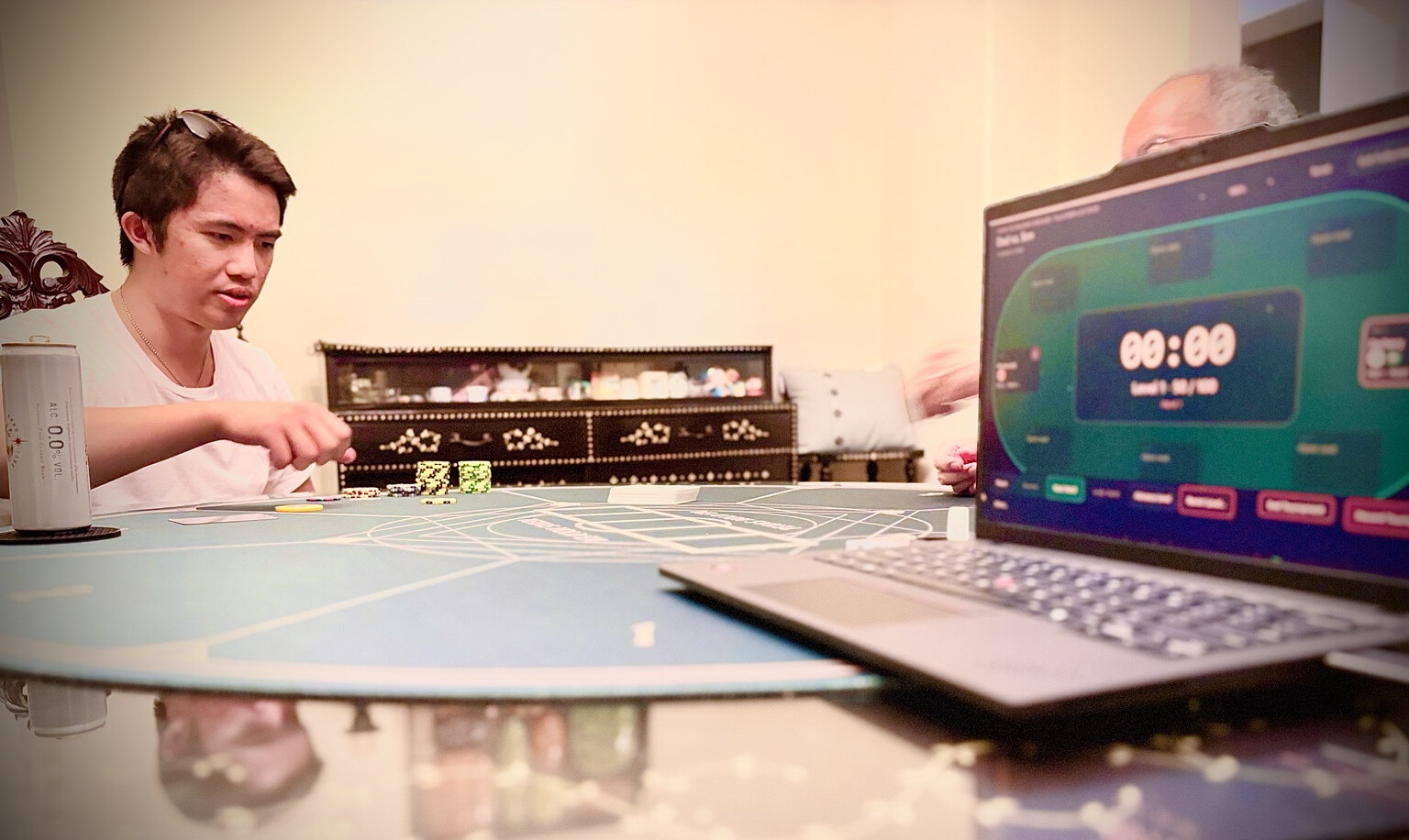
Poker Tournament Manager was not validated only through automated tests or isolated desktop checks. I used the application while running a real home tournament, with the live workspace displayed alongside the physical table.
That environment exposed operational issues that were difficult to reproduce through development checks alone, including lifecycle, position-tracking, fullscreen, and break-workflow problems. Those observations became concrete requirements, regression tests, and release gates.
The result was a development cycle grounded in real use: observe the workflow, reproduce the failure, define the expected state, validate the correction, and retest the packaged build.
Setup
Live operation
Operational detail
Maintenance release
Version 1.1.1 removed the dedicated OnBreak state, separate break countdown, Start Break, End Break, and Complete Color-Up controls. Breaks now use the same dependable controls as normal tournament operations.
Release evidence
A release was not accepted merely because it built or passed automated tests. Physical Windows-laptop QA remained a required gate for live UI, timer, input, and state-transition behavior.
Release integrity
System design
Tournament rules, seating, payouts, position logic, and authoritative clock behavior.
Workflows, use cases, validation, navigation permissions, and service contracts.
Entity Framework Core, SQLite, migrations, persistence, backup, recovery, and exports.
Windows UI, commands, navigation, timer projection, fullscreen interaction, and user feedback.
The authoritative tournament clock is timestamp-based. A reusable application-lifetime WPF pulse refreshes the visible projection without writing to SQLite every second. Generation-based protection prevents stale observations from an earlier tournament from updating a later one.
Public-safety scope
The application operates offline and stores local operational data. The public case study intentionally excludes production databases, user records, backups, logs, exports, release ZIPs, private source mappings, and the full private development archive.
The current tournament may persist temporarily for crash recovery. Confirmed discard removes the active tournament aggregate. Preferences, presets, inventory, reference material, and independent study notes may persist separately.
Professional reflection
Passing automated tests is not the same as operational readiness. Real users, physical hardware, repeated lifecycles, and state transitions exposed failures that isolated checks did not. My strongest contribution was converting those failures into precise requirements, bounded implementation work, reproducible QA, and disciplined release decisions.
Public documentation
The public GitHub repository contains the curated README, architecture summary, QA evidence, release notes, final acceptance report, code example, and sanitized screenshots.